
Frontier guide · Getting started · 4 of 18
Menus and Town NPCs
A tour of the in-game menus, options, chat and Guild Card, and of every NPC in town, the Caravan area and your house, with what each one does.
Launcher and game settings
The original guide begins this page with the Taiwanese launcher: its login window, the character list and a configuration window with graphics and sound tabs. The guide's own advice is that you only use those options once, because all other settings are changed in game. It also says to ignore the last tab, Proxy Settings, which is useless to almost everyone. The launcher and its timezone advice were for Capcom's Taiwanese servers.
Start menu
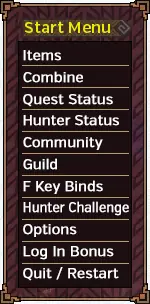
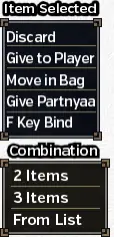
The start menu gives quick access to a lot of information. It is also where you set most of the options that can be changed in game. Opening an item from the Items entry gives a short menu with the actions you can take on it, and the combination entries.
Hunter Status menus
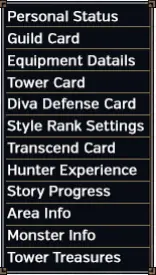
The Hunter Status menus hold a lot of information, including your equipment details and your Guild Card. The Guild Card shows things such as your Hunter Rank, the HRP you need for the next rank, active subscriptions, guild information, and your Attack and Defense values.
- Personal Status
- Lets you set a number of icons for your player. They flash for anyone who is checking icons and has the same ones set.
- Guild Card
- Shows a large amount of information. See Guild Card below.
- Equipment Details
- Lets you check your town and quest sets and see details on each piece of equipment.
- Tower Card
- Shows detailed information on everything to do with the Tower or Sky Corridor. See the Tower section of the guide.
- SR Books
- Shows details on the SR weapons you have. You cannot change settings here, such as the moveset, but you can confirm them. See Style Rank.
- Hunter Experience
- A collection of trophies for things you have done, depending on points in various categories. Other players can view them, but they mean nothing.
- Story Progress
- Shows which mission you are on in each story questline (the ones from the Yellow Guild Sweetheart).
- Area Info
- Shows information on the current area.
- Monster Info
- Shows information on many monsters, including maximum and minimum sizes and the number hunted. You must have bought the books on that monster type from the Shop NPC.
- Ancient Treasures
- Shows which treasures you have collected in the Tower and what effects they have enabled. The picture calls this entry Tower Treasures.
The picture also lists a Diva Defense Card, Style Rank Settings and a Transcend Card. The guide does not describe them here. See Diva Defense, Style Rank and Transcend.
Community menus
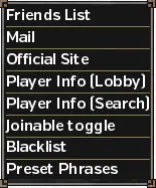
The Community menus hold most of what you need to deal with other players, including sending mail and managing the blacklist.
The Friends List shows everyone you have registered as a friend. It works one way: other players do not need to have you on their list for you to have them. The Joinable toggle sets whether players who have you on their friends list can jump straight to your lobby.
Options menus
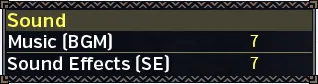
The Options menu has these pages. The Rendering Options page only appears when High Grade mode is on.
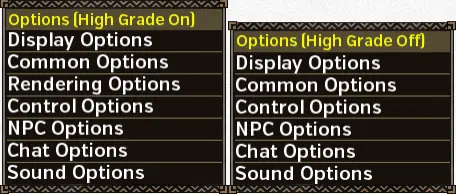
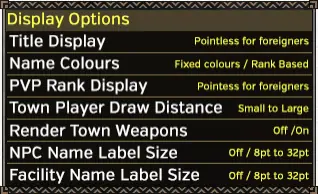
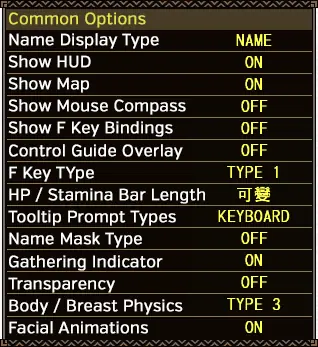
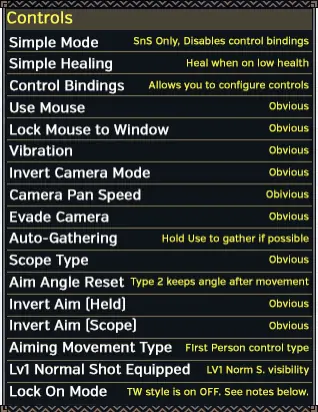
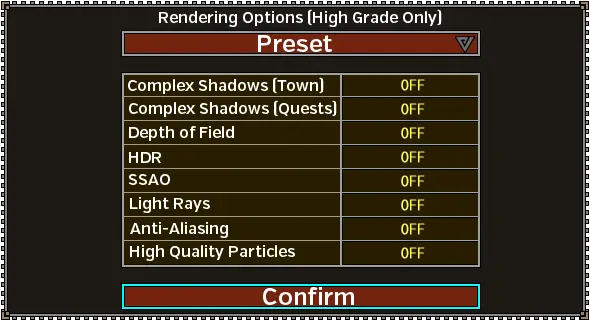
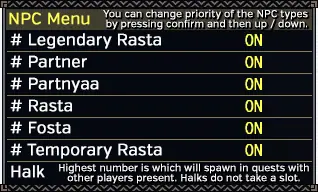
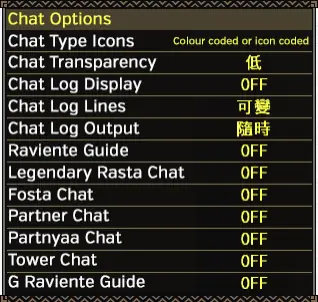
The NPC Options page sets the priority of your AI companions. See AI Companions. The Chat Options page controls how much your companions talk during quests.
Lock On modes
The guide says the Taiwanese client has three Lock On modes. You choose them in Control Options.
- TW Lock On
- Shows icons at the bottom of the screen. Press R2 to change which monster is locked on, and L1 to lock. It is active on the "Off" option. Because it was added before the official version, it has quirks, such as letting you lock on to burrowed or invisible monsters.
- JP Lock On
- Basically a copy of the 3DS games' lock on. Type 1 locks on with a single press and resets the camera with a double press. Type 2 does the opposite. In these modes you must pause and press R1 to change targets.
Control bindings
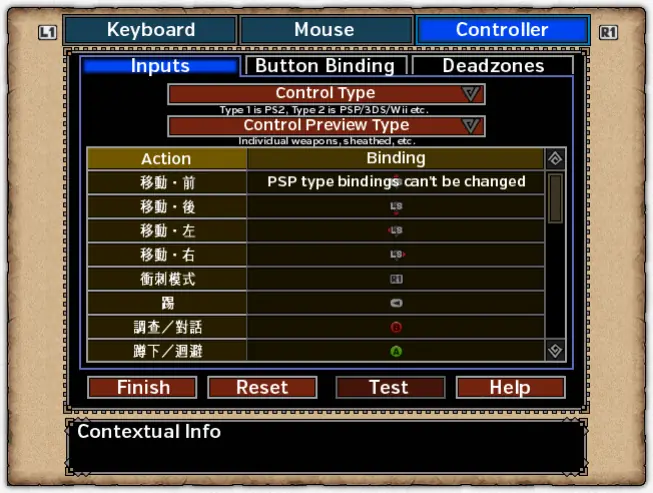
You can change the bindings for every control type in the Control Bindings section of the Control Options menu. For PSP-style controls, choose the second option in the first drop-down on the controller section.
The guide does not go through each weapon type and translate every action. If you want to rebind something, you will have to work out what each action is.
Chat
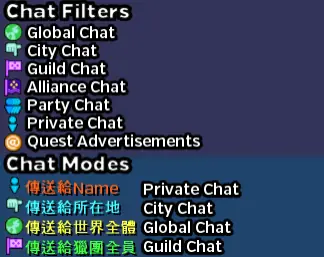
Chat modes and gestures
Open the in-game chat by pressing Insert (or by holding L2 and R2). There are various filters and modes.
- Toggle filters with the buttons at the top of the chat pane.
- Change modes with Shift+Up/Down/Left/Right.
- To whisper to a player, press Square while in front of them, or click their name in the chat window.
- To perform a gesture, press # and then an F key. F6 opens the second page of gestures.
Chat commands
| Command | What it does |
|---|---|
@here | Posts a link to the server you are on that other players can click. |
@re | Inserts the number of spots left on your quest. |
@dice | Posts the result of a dice roll from 1 to 100. |
@clr1, @clr2, @clrall, @clrpast | Clear the chat. |
@help | Shows all available commands. |
@a, @f, @p, @g, @u | Send a message to one chat. In order they are Global, Local, Party, Guild and Alliance. |
<act1> to <act24> | Make you perform a gesture. |
<act25> to <act48> | Make you perform any legendary gestures you bought with Tower Medals (in town only). |
Town Square NPCs
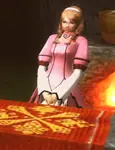
- Story and Item Trading Guild Sweetheart
- Gives the first tutorial quests and the story quests. You can also trade for some items here.
- Guild Mistress
- Gives quests after the first tutorials, the Gook quests, SR books and moveset urgents. You can trade monster kills for medals here, to get Talismans that reduce the wait after quests, give more HP at quest start, and so on. See Medal charms.
- Main Quest Guild Sweetheart
- Gives all non-G Rank quests after you progress past the Guild Mistress.
- Caravan Sweetheart
- Gives Caravan quests outside the Caravan Area. She has the Caravan Festival missions whenever it is on, and the rewards for that week and the week after.
- Combiner
- Combines items in batches. Does special combining, such as pots using Halk feathers. Exchanges gallery tickets for rewards and cash items for luck medals and similar. Exchanges monster kill medals for Talismans. Sells various combination items.
- Lunchbox / Ingredients NPC
- Packs lunchboxes for quests and sells most of the ingredients needed to make them. See Lunchboxes below.
- Purple Guild Sweetheart
- Updates subscriptions. Gives out purchases, event items and compensation items. Has quests for titles. Exchanges subscription stamps for HL and EX tickets.
- Hunter Festival Manager
- You turn in Festival Points to her. She has a table of all monsters and the points they are worth, shows the current team rankings, and trades festival points for items. See Hunter Festival.
- Hunter Festival Winners NPC
- Gives out quests to whichever team colour won the Festival. You take these quests with medals you received for the points you contributed.
- Furniture and Gallery NPC
- Sells furniture and makes it from materials. Trades stamps (earned by making furniture) for farm upgrades. Sells farm tools. Evaluates your gallery so you can get Gallery gems and other rewards. See House.
- G Rank NPC
- Gives out G Rank quests, including Event quests and Conquests.
- Guild Manager
- Lets you create and join guilds after you finish the tutorial. Creating a guild needs a subscription, according to the guide.
- Store Sweetheart
- Sells most consumable items, including honey. Sells the books for the monster list, combining, house expansion and box expansion. The guide says her stock is much better when you are subscribed than on the trial.
- Tower NPC
- Gives out Tower quests and rewards while the Tower is available.
Lunchboxes
Here are the basic lunchbox combinations and where the ingredients come from. The guide recommends always posting quests with buffs at least as good as these whenever you can. More buffs and combinations are on Quests, Food Buffs and Bentos.
| Season | Combination | Result |
|---|---|---|
| Warm Season | Fist Rice + Spirit Mushrooms | +50 HP / +50 Stamina |
| Cold Season | Fist Rice + Frost Tomatoes | +50 HP / +50 Stamina |
| Breeding Season | Fist Rice + Power Lard | +50 HP / +25 Stamina |
| Ingredient | Price | Sold by |
|---|---|---|
| Spirit Mushrooms | 980z | Guild Cat Store |
| Frost Tomatoes | 450z | Guild Cat Store |
| Fist Rice | 550z | Lunchbox NPC |
| Power Lard | 400z | Lunchbox NPC |
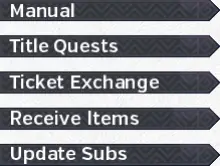
For reference, the Purple Guild Sweetheart's menu lists Manual, Title Quests, Ticket Exchange, Receive Items and Update Subs. Receive Items opens a second menu.
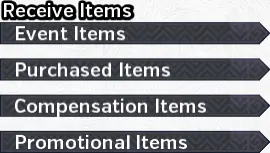
That second menu has Event Items, Purchased Items, Compensation Items and Promotional Items.
Blacksmith NPCs
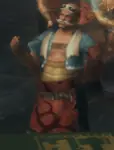
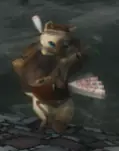
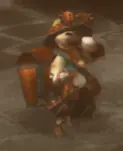
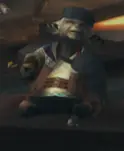
- Blacksmith
- Does all the basic crafting and upgrading until G Rank. Still does most of it even then. You can also open the full equipment box here.
- Cat Smith
- Makes armour and weapons for Partnyaas. Makes randomised Gou Weapons. Makes Sigils at G Rank.
- Lottery Cat
- Lets you gamble with various items for rewards. According to the guide it was mostly paid for with real money, mostly at poor odds, and lotteries were time limited. That was the official service; see the note below for what applies here.
- Warehouse Manager and Warehouse NPC
- Hold the items given as daily rewards and the HRP tickets you receive for completing quests. They also have a warehouse for storing items and equipment. See Warehouse below.
- Tower Weapons Cat
- Makes and adjusts Tower Weapons. See the Tower section of the guide.
- Legendary Blacksmith
- Does not appear at the moment. Previously used to upgrade some G Rank weapons.
Warehouse
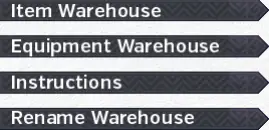
You can open the warehouses 5 times every 12 hours. Each time you open one, you can make unlimited transfers between both equipment and normal boxes. You have 10 pages of each, and each page can be renamed.
When you transfer items, you see your main box and the warehouse box. To reach the warehouse box, press left or right until you move out of the active box and into the see-through one. Sending items works like moving them between your inventory and your box: select the item, then choose how many to send.
Caravan Area NPCs

These NPCs are in the Caravan Area. See Caravan for how the Caravan works.
- Kashira
- Gives you a level 0 gem when you first talk to her. She is also used to set up Raviente hunts.
- Caravan Sweetheart
- Gives the various Caravan quests in Pallone.
- Caravan Combiner
- Combines items in batches. Does special combining for items made with Caravan materials. Sells various combination items.
- Store NPC
- Sells standard store items.
- Food NPC
- Sells food and packs lunchboxes.
- Upper Food NPC
- Packs lunchboxes. Specifically for packing the larger lunchboxes that use four items for the various Raviente hunts.
- Caravan Gathering Spots
- Lets you set up gathering on the various maps in exchange for CP, materials and time. Some items can only be gotten this way, such as those needed to craft a full Unknown armour set.
- CP Store
- Trades CP for various Caravan items, including Whetstones that give +10% Affinity and materials for Caravan weapons.
- Caravan Gem Smith
- Upgrades and maintains the Caravan Gem. Lets you roll a gem colour or get a rainbow gem. See Caravan Gems.
- Caravan Leader
- Gives a 2 hour buff in exchange for 200k CP.
House facility NPCs
These NPCs are in the parts of your house. The House and AI Companions page explains each facility.
Main house
- House Cook
- Cooks meals for you and anyone in your house, bypassing any bentos posted with quests. This is useful for eating Adrenaline food without needing everyone to lose HP. Talking to him gives you an overview of the food you have. Sit at one of the dining tables, which come in different sizes, to actually have a meal prepared.
Gook Farm
- Gook Manager
- Looks after your gooks. Talk to him to receive all shinies dropped by gooks in the area. Gives access to Gook Cooking and creates decorative items for gooks.
- Farm Tools Cat
- Lets you use the Gook Farm tools once per quest taken.
- Mail Cat
- Lets you transfer items between characters on your account. The guide says this needs a subscription.
- Lost Cat
- A cat who wants you to find items it lost in town. It has a chance to appear after normal quests (not deliveries). It can give exclusive items, such as crowns that are used to craft armour sets.
My Support Island
- My Support Manager
- Manages every part of your Halk. Lets you hire Partnyaas.
Pugi Farm
- Pugi Farm Manager
- A girl whose looks vary with the outfits you bought for her and with which of the three sisters you chose when setting up the Pugi Farm. Gives daily points. Lets you spend points on Pugi Farm facilities and buy the various cat stores. Gives special missions for exclusive items such as G Whetstones. Converts extra points into GCP.
- Pugi Farm Cat Manager
- Manages the cat stores you have set up in Airou Plaza. Turns wandering cats, which you can hire, on and off.
- Pugi Farm Partnyaa Manager
- Lets you pick which facility your Partnyaa works at.
SR Challenge Room
- The S NPC
- Gives out various vanity challenges. Lets you take the quests that raise the final four stats on your Book of Secrets. See Style Rank.
- The R NPC
- Gives out various vanity challenges.
The guide labels these two NPCs only "S" and "R".
Guild Card
The Guild Card has several pages. Here is each one, in the guide's order. The Chinese labels on the first pictures are the Taiwanese client's own text. Some pictures carry the guide author's notes in English.
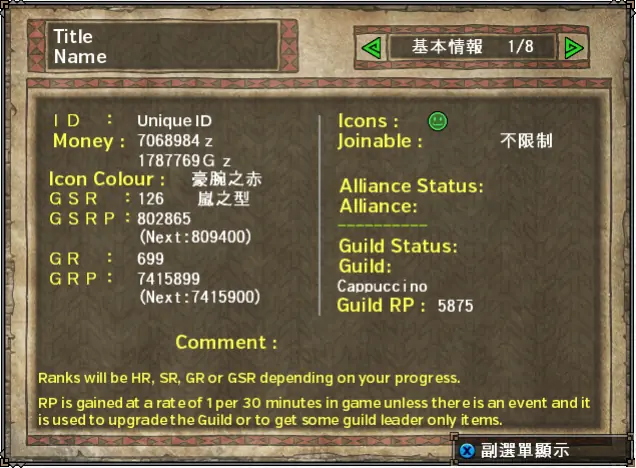
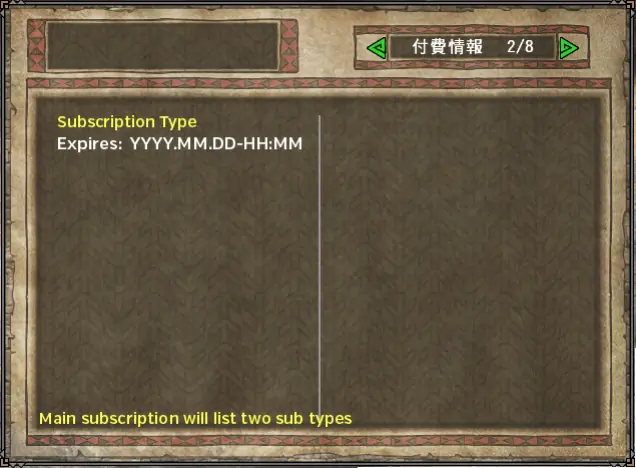
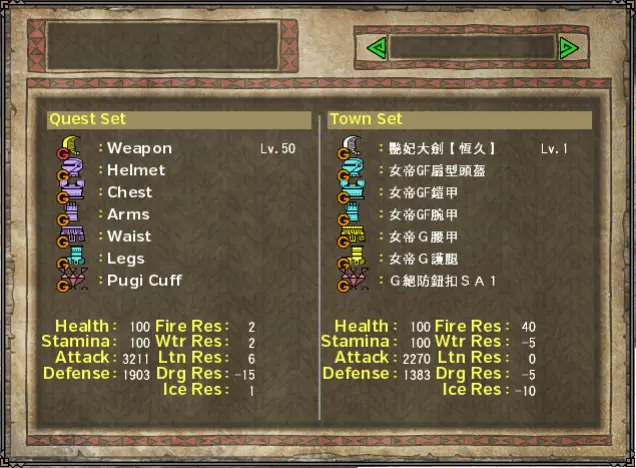
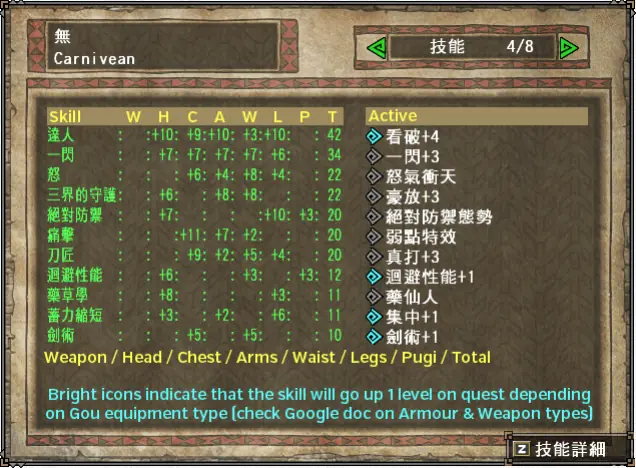
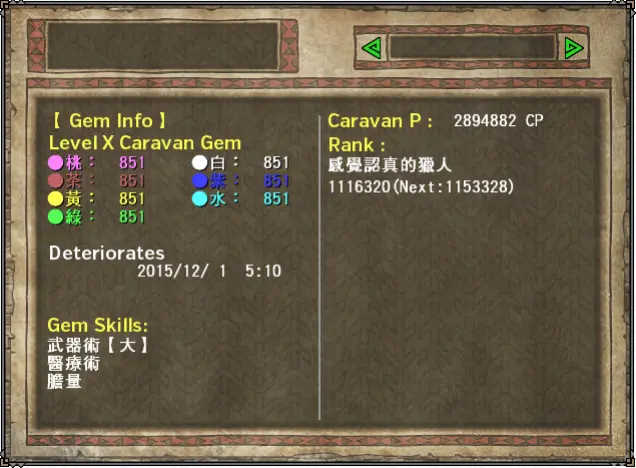
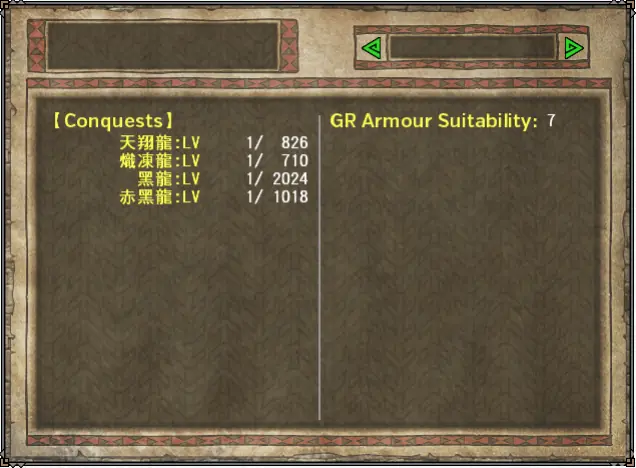
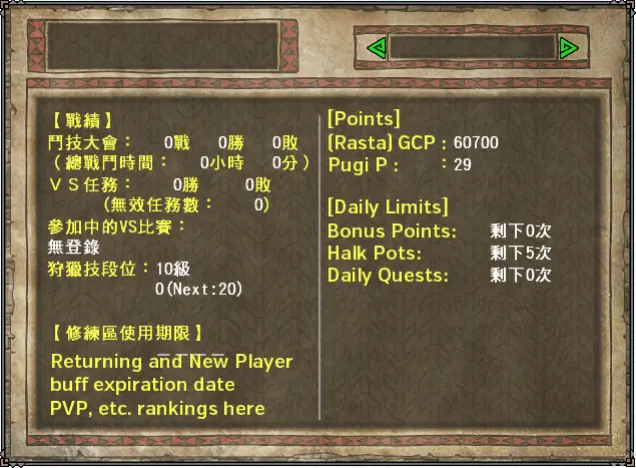
Press Square (or Z on the keyboard) on your Guild Card to open a section where you can change your comment and background and see who has your Rasta.
Written from the Monster Hunter Frontier guide by Fist (as saved in January 2022). That guide describes Capcom's old official servers; we reworded it, laid it out for Hunsterverse and added the "On Hunsterverse" notes (all of them: Hunsterverse vs the old servers). The pictures are from the original guide.